
Introduction
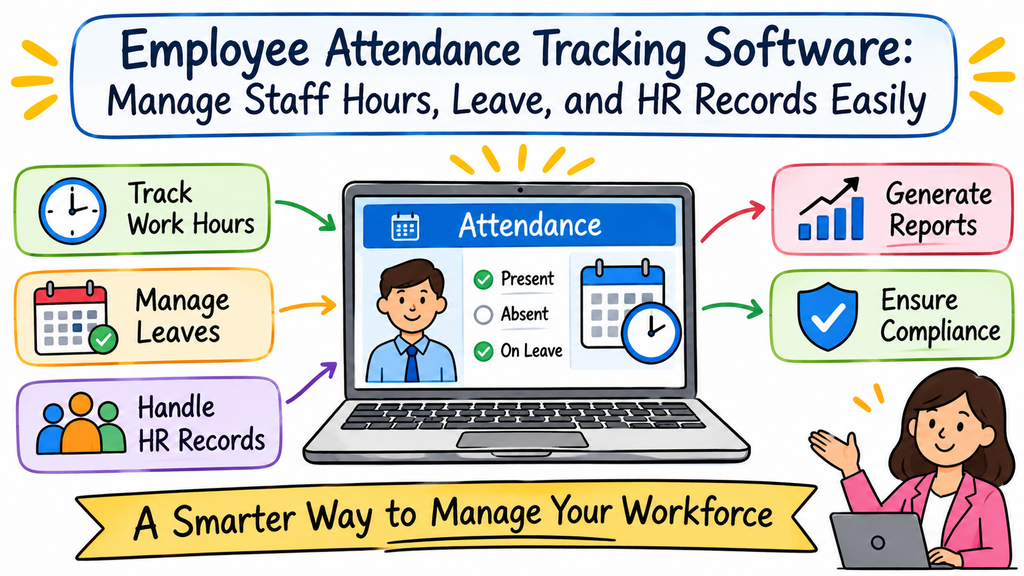
Employee attendance affects daily work and monthly HR tasks. Companies need clear records of work hours, leave, and holidays. Many teams still depend on registers or spreadsheets. These methods can create errors and waste valuable time. HR staff may need to check several files before preparing reports. Digital attendance software offers a simpler way to manage these records. Employees can enter attendance online, and managers can review the details. HR teams can also handle leave requests and download monthly reports. This guide explains the main features, uses, setup process, and benefits of digital attendance tracking.
Why Businesses Need a Better Attendance Process
A clear attendance process helps companies manage employee records. It also helps managers understand daily attendance and planned leave. Manual tracking may become difficult when the number of employees increases.
For example, an employee may forget to mark attendance. HR staff may also enter the wrong date in a spreadsheet. A manager may miss a leave request in a busy inbox. These small issues can affect monthly records.
Digital attendance software helps companies manage these tasks through one platform.
Common attendance challenges include:
- Missing daily attendance entries.
- Incorrect dates or time records.
- Delayed leave request decisions.
- Confusing holiday information.
- Difficult leave balance checks.
- Repeated updates across spreadsheets.
- Slow monthly attendance reviews.
- Incomplete information during payroll preparation.
A central system makes these records easier to manage and review.
What Is a Digital Employee Attendance System?
A digital employee attendance system helps companies record and manage staff attendance. Employees use an online platform to enter their attendance details. The system stores each entry with its related timestamp.
Managers can review employee records. HR teams can manage leave requests, holiday calendars, and attendance corrections. Some platforms also provide monthly summaries and downloadable reports.
A browser-based system allows employees to access the platform through a web browser. This approach helps companies move away from paper registers and scattered files.
How the Attendance Process Works
A simple process helps employees follow the same attendance rules. It also helps HR teams maintain organised records.
| Stage | What happens | Main benefit |
|---|---|---|
| Employee access | Staff open the online platform | Starts the attendance process |
| Attendance entry | Employees record attendance | Stores daily details |
| Timestamp | The system records the time | Provides a consistent time reference |
| Record review | Managers check entries | Helps identify missing details |
| Leave request | Employees submit time-off requests | Starts the approval process |
| Approval | Managers review requests | Records the decision |
| Monthly review | HR checks attendance summaries | Supports record checks |
| Report export | HR downloads available files | Helps with further tasks |
Companies can adjust this process according to their attendance policies.
Essential Features to Look For
The right features depend on the company’s work process. Businesses should focus on tools that solve real attendance problems.
Online Attendance Entry
Online attendance entry lets employees record their details through a browser. They do not need to depend on paper registers. HR teams can review the saved information through one platform.
Server-Verified Time Records
Server-verified timestamps use the system’s server time as a reference. They reduce dependence on the employee’s device clock. This can help companies maintain a consistent time record.
Leave Request Management
Employees need a simple way to request leave. A digital process lets them submit requests through the platform. Managers can review each request and record their decision.
Holiday Calendar Settings
Holiday calendars help companies define working and non-working days. HR teams can add company holidays and update dates when needed. These settings can also support leave calculations.
Attendance Correction Requests
Employees may forget an attendance entry or enter incorrect details. A correction process lets them report the issue. Managers or HR staff can review the request and decide whether to update the record.
Monthly Attendance Reports
Monthly summaries help HR teams review employee attendance. They can check recorded workdays, leave details, and other available information. Managers can also use these summaries during regular reviews.
Report Download Options
CSV and PDF exports help teams use attendance information outside the platform. HR staff can download these files for internal checks and payroll preparation. They should verify the details before sharing them.
Managing Employee Leave and PTO Rules
Leave management needs clear rules. Employees should understand their available leave and request process. Managers should also know how to review requests.
A system may support several PTO settings:
- Full-day PTO: Covers a complete workday.
- Half-day PTO: Covers part of a workday.
- Leave accrual: Adds leave over a set period.
- Carry-forward: Moves eligible unused leave into another period.
- Leave expiry: Ends leave validity after a defined date.
- Holiday exclusions: Keeps company holidays outside leave-day calculations.
For example, an employee may request leave from Monday to Friday. A company holiday may fall within those dates. The system can apply the holiday rules set by HR.
Companies should review these settings before they allow employees to submit requests.
Why Holiday Calendar Management Matters
Holiday dates can affect attendance and leave records. A wrong date may change the number of leave days. It may also create confusion during monthly attendance checks.
HR teams should keep the calendar accurate.
Good holiday calendar practices include:
- Add all approved company holidays.
- Review changes to holiday dates.
- Apply the right calendar to each team.
- Check holiday exclusions in PTO settings.
- Inform employees about calendar updates.
A shared calendar gives everyone the same reference. It also helps employees plan leave with fewer questions.
Understanding IP-Based Attendance Restrictions
Some companies want employees to access attendance features through an approved office network. An IP restriction can support this requirement.
The system checks the network address against the company’s approved settings. It can help limit attendance actions to selected network connections.
However, an IP address does not confirm a person’s exact physical location. It identifies the network connection used to access the platform. It does not provide GPS tracking.
Companies should explain this difference to employees. They should also communicate the network rules before enabling this feature.
Manual Attendance and Digital Attendance Compared
Paper registers and spreadsheets may suit very small teams. But they can become harder to manage as the workforce grows.
| Comparison area | Manual attendance | Digital attendance |
|---|---|---|
| Entry method | Paper or spreadsheet | Online platform |
| Record storage | Separate files | Central digital records |
| Leave requests | Messages or forms | Digital requests |
| Approval tracking | Manual follow-ups | Recorded decisions |
| Holiday details | Separate calendar files | Shared calendar settings |
| Corrections | Manual changes | Correction request process |
| Monthly summaries | Manual preparation | Digital summaries |
| Report sharing | Manual file creation | CSV and PDF exports |
Digital attendance software can reduce repeated data entry. HR teams must still review records and follow company rules.
How Attendance Software Helps HR Teams
HR teams manage many employee records every month. Attendance software can help them organise daily information and reduce repeated tasks.
- Less manual work: Staff can review records through one platform.
- Clearer information: Employees and managers can check relevant details.
- Easier leave reviews: Managers can handle requests through a defined process.
- Better monthly checks: HR teams can use attendance summaries.
- Organised corrections: Staff can review reported attendance issues.
- Simple report sharing: Teams can download files for other tasks.
The system works best when companies maintain clear policies and review records regularly.
Using Attendance Reports During Payroll Preparation
Attendance records often support payroll preparation. HR teams may need to check workdays, leave, absences, and corrections before sharing monthly data.
A clear report can make this work easier.
Use this monthly review process:
- Open the employee attendance summaries.
- Check missing or unusual entries.
- Confirm approved leave requests.
- Review company holiday dates.
- Check attendance correction records.
- Export the required CSV or PDF file.
- Verify the information before sharing it.
Attendance software can support these checks. However, it may not calculate salaries or process payments. Companies should confirm whether they need a separate payroll solution.
Mistakes That Can Affect Attendance Records
A digital platform needs proper setup and regular attention. Companies should avoid common mistakes that can create confusion.
- Unclear attendance rules: Explain work hours and attendance steps.
- Incorrect employee details: Check staff information before setup.
- Wrong holiday dates: Review company calendars carefully.
- Poor leave settings: Match software rules with company policies.
- Ignored correction requests: Review reported errors on time.
- Unnecessary user access: Set suitable permissions.
- Limited employee training: Explain the daily process.
- Missed monthly checks: Review summaries and fix errors.
Clear instructions help employees use the system correctly. Regular checks help HR teams maintain reliable records.
How to Select the Right Attendance Platform
Every company has different attendance needs. The best platform should support the company’s actual process. Businesses should review the available features before making a decision.
Consider these points:
- Simple interface: Can employees use the platform easily?
- Reliable time records: Does it use server-verified timestamps?
- Leave management: Can HR configure the required PTO rules?
- Holiday calendars: Can teams add and update company holidays?
- Correction workflow: Can employees report attendance errors?
- Monthly summaries: Can HR review useful attendance details?
- Export formats: Does the platform support CSV and PDF?
- Access permissions: Can the company manage user access?
- IP restrictions: Does it offer optional network-based access?
- Data handling: Does the provider explain its data practices?
Companies should test the main workflow before selecting software. They should try attendance entries, leave requests, approvals, and report downloads.
A Simple Plan for Introducing Attendance Software
A planned launch helps employees understand the new system. HR teams should prepare company rules and employee records first.
Follow these steps:
- Review current policies: Check work hours, leave rules, and holidays.
- Prepare staff information: Organise the required employee details.
- Set attendance rules: Configure the company’s attendance process.
- Add holiday dates: Create the correct company calendar.
- Configure PTO: Add the required leave settings.
- Set user permissions: Give each user suitable access.
- Test key features: Check entries, approvals, and reports.
- Train employees: Explain how to use the platform.
- Review early records: Check the first month’s attendance data.
A small test group can help HR teams identify setup issues. The company can then introduce the system to the wider team.
How InOrOff Supports Employee Attendance Management
Companies need a practical way to manage attendance and leave records. InOrOff offers browser-based attendance management with server-verified timestamps.
The platform supports employee leave requests, approval workflows, holiday calendars, and attendance corrections. HR teams can manage full-day and half-day PTO. They can also configure accrual, carry-forward, expiry, and holiday exclusion rules.
InOrOff also offers optional office IP restrictions. These restrictions check the network address, not the employee’s exact physical location. Monthly attendance summaries help HR teams review employee records. CSV and PDF exports support internal reviews and external payroll preparation.
Companies should review the available features before choosing the platform. This helps them confirm whether it suits their attendance and leave process.
Frequently Asked Questions
What is employee attendance tracking software?
Employee attendance tracking software helps companies record and review staff attendance. Employees enter attendance details through an online platform. HR teams can manage leave requests, holidays, corrections, and reports. The exact features depend on the selected software.
How does attendance software improve daily HR work?
Attendance software keeps employee records in one place. HR teams can review entries and leave details more easily. They can also download monthly summaries for further checks. This can reduce repeated spreadsheet updates and manual record searches.
Can a small business use digital attendance software?
Yes. Small businesses can use digital attendance software to organise staff records. A simple platform can reduce manual work and support leave requests. Companies should select a system that matches their current needs and future plans.
Does browser-based attendance require special software?
Browser-based attendance works through a web browser. Employees open the platform and record their attendance online. They do not need a paper register for each entry. The available access options depend on the selected platform.
What is the benefit of server-verified timestamps?
Server-verified timestamps provide a consistent time reference for attendance entries. They reduce dependence on employee device clocks. This can help HR teams review records with greater clarity. Companies should still maintain rules for missed entries and corrections.
Can an attendance system manage employee leave?
Some platforms include leave management features. Employees can submit requests through the system. Managers can review requests and record their decisions. HR teams can also configure supported leave rules and holiday settings.
What do carry-forward and leave expiry mean?
Carry-forward moves eligible unused leave into another period. Leave expiry ends the validity of leave after a defined date. Companies should set these rules according to their policies. HR teams should also explain the rules to employees.
Does an IP restriction track an employee’s physical location?
No. An IP restriction checks the network address used to access the system. It does not confirm the employee’s exact physical location. Companies should understand this limit before using network-based attendance access.
Can attendance software create monthly reports?
Some platforms provide monthly attendance summaries. HR teams can use them to review available attendance and leave details. Some systems also support CSV and PDF exports. Companies should check which report fields the platform provides.
Does attendance software include payroll processing?
Not always. Attendance software often focuses on work hours, leave, and attendance records. It may provide exports for external payroll preparation. Companies should confirm whether they need a separate payroll system.
How can companies reduce attendance errors?
Companies should set clear attendance rules and train employees. HR teams should review missing entries and correction requests. They should also check holiday calendars and leave settings. Regular monthly reviews can help teams find errors early.
What should HR teams test before choosing attendance software?
HR teams should test attendance entry, timestamps, leave requests, approvals, corrections, and reports. They should also review access settings and data handling practices. A practical test helps companies understand whether the platform fits their daily process.
Final Thoughts
Managing employee attendance requires clear records and simple processes. Manual methods can become difficult when companies add more employees. Digital attendance software helps bring work hours, leave, and holiday details together. It can also make monthly reporting easier for HR teams.
However, companies still need clear policies and regular checks. Employees should understand attendance rules and leave settings. HR teams should review records and correct errors when needed. Choose software that fits your daily work. Check its features, reports, and access controls before making a decision. The right system can help your team manage attendance with better organisation and less manual effort.